Delete Your OnlyDividends Account
OnlyDividends mobile app
Last updated: July 19, 2026
Delete your account in the app (immediate)
You can delete your OnlyDividends account and all associated data at any time, directly in the app:
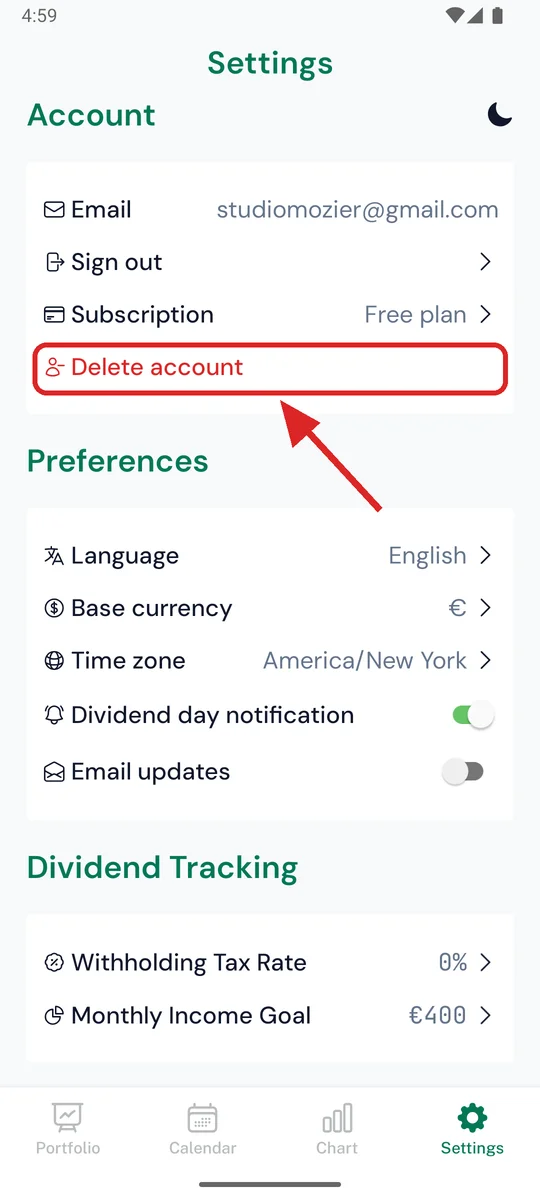
- Open the OnlyDividends app and sign in
- Go to the Settings tab
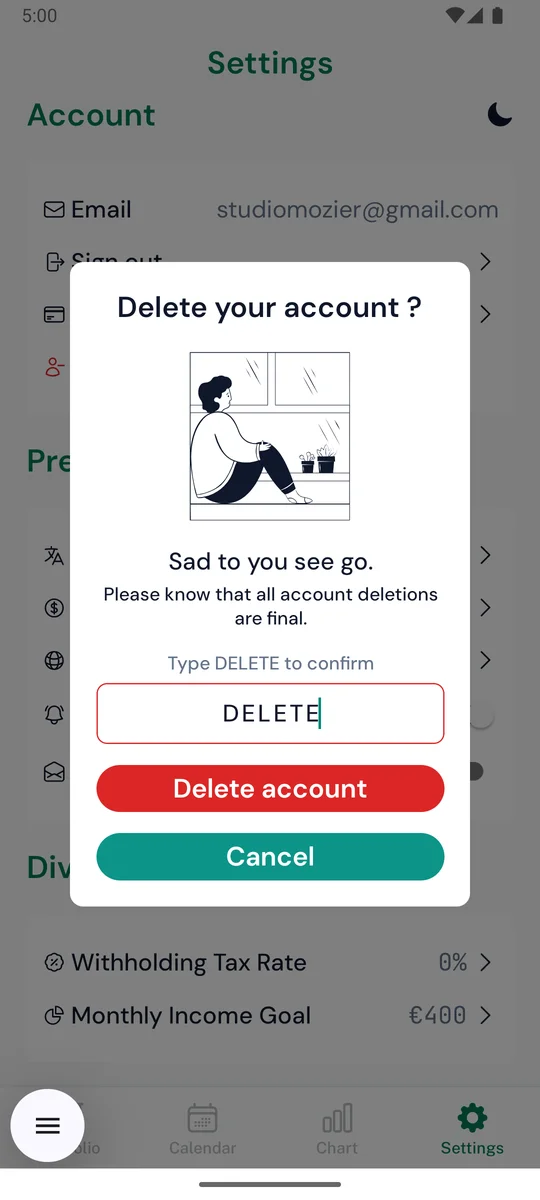
- Tap Delete Account
- Type DELETE to confirm
Deletion is immediate and permanent. It cannot be undone.
Delete some data without deleting your account
You can delete individual portfolio holdings at any time in the app (swipe a holding in the Portfolio tab and tap delete) — the holding is permanently removed from our servers immediately. You can also request deletion of specific data by emailing support@onlydividends.app; we will process the request within 30 days.
Can't access the app?
Email us at support@onlydividends.app from the email address associated with your account and request deletion. We will delete your account and associated data within 30 days.
What is deleted
- Your account and authentication data (email address, user ID)
- Your portfolio holdings and settings (currency, timezone, tax rate, income goals)
- Your notification tokens and preferences
What is kept, and for how long
- Subscription and billing records are managed by Apple (App Store) and Google (Google Play) and are subject to their retention policies. Deleting your account does not cancel an active subscription — cancel it in your App Store or Google Play account settings.
- Aggregated, non-identifying analytics and crash data may be retained by our service providers (Firebase, Sentry) for a limited period, as described in our Privacy Policy.
For full details on how we handle your data, see our Privacy Policy.