
OnlyDividends Logo
OnlyDividends
OnlyDividends Logo
OnlyDividends
OnlyDividends dividend calendar illustration

Dividend tracker vs spreadsheet

Dividend Tracker vs Spreadsheet

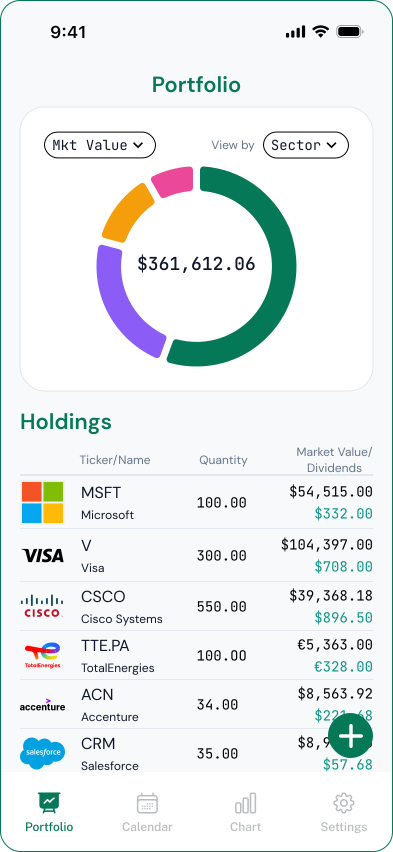
A spreadsheet is the better choice if you want full control and custom formulas and do not mind maintaining it by hand. A dividend tracker app is better if you want your calendar, after-tax income, and totals updated automatically without manual upkeep. OnlyDividends gives you the app side of that trade-off: you enter a ticker and share count, and it keeps your dividend calendar, payments, and income current, after tax, without linking a bank or brokerage account.

Free for your first 3 stocks. No account, no bank linking.

Available Stock Exchanges

ASX LogoBCBA LogoBET LogoBME LogoBMV LogoCSE LogoEuronext LogoHKEX LogoJPX LogoKRX LogoLSE LogoMIL LogoNASDAQ LogoNYSE LogoPRA LogoSGX LogoSIX LogoTadawul LogoTSX Logo
01

The real cost of a dividend spreadsheet

A spreadsheet is flexible and free, and for a few holdings it works fine. The trouble is upkeep: every new purchase, changed payout, ex-dividend date, currency conversion, and tax adjustment has to be entered and re-checked by hand.

As the portfolio grows, the maintenance grows with it. Formulas break, dates fall out of date, and the after-tax math quietly drifts away from reality. The sheet that was meant to save time starts costing it.

The honest question is not "which is better in theory," but "which actually stays accurate without becoming a second job?"

02

Keep the upside of a spreadsheet, drop the upkeep

OnlyDividends gives you the same clear view a good spreadsheet provides, calendar, payments, income, after tax, but maintains it for you. You add a position with two fields, the ticker and your share count, and the data stays current automatically.

You still own a simple, private record of your dividends. You just stop re-entering dates and amounts every month, and the numbers stop drifting out of date.

  • A 12-month dividend calendar, kept current without manual entry
  • After-tax income from a single withholding-tax setting
  • Annual and monthly average income totals, recalculated for you
  • Pay-day notifications instead of formulas you have to check
  • No bank login and no brokerage credentials, ever
  • Setup in seconds per holding, just ticker and shares
03

Where the app saves you the manual work

  • 01

    No more date wrangling

    Ex-dividend and pay dates are projected from market data, so you never paste or re-check them by hand again.

  • 02

    After-tax without formulas

    One withholding-tax setting applies across the app, replacing the tax columns and formulas a spreadsheet needs.

  • 03

    Two fields per holding

    Add a position with a ticker and share count. No rows, no per-share lookups, no formula maintenance.

  • 04

    Private, like your spreadsheet

    Nothing links to your bank or brokerage. You keep the privacy of a local sheet, without the upkeep.

  • 05

    Notifications, not checking

    Get reminded on each pay day instead of opening a sheet to see what was due and whether it arrived.

  • 06

    Multi-currency, handled

    Foreign holdings are converted into your currency automatically, no exchange-rate columns to maintain.

Where the app saves you the manual work
04

Dividend tracker vs spreadsheet, side by side

OnlyDividendsManual spreadsheetSpreadsheet template
Setup timeSecondsHoursMedium
Ongoing upkeepAutomaticConstantFrequent
Forward dividend calendarYesManualManual
After-tax incomeYesManualSometimes
Pay-day notificationsYesNoNo
Multi-currencyYesManualSometimes
Full custom formulasNoYesYes
Best forStaying currentPower usersA head start
05

When the app is the better fit

  • You have outgrown a few holdings and the upkeep is piling up
  • You want after-tax income without building tax formulas
  • You keep forgetting to update dates and amounts
  • You want pay-day reminders, not a sheet to open and check
  • You like the privacy of a spreadsheet but not the maintenance
  • You still want custom analysis? A spreadsheet may suit you better

Dividend Tracker vs Spreadsheet

Free for your first 3 stocks. No account, no bank linking.

Download on the App Store

Frequently asked questions

It depends on what you value. A spreadsheet wins on full control and custom formulas; a dividend tracker app wins on staying accurate without manual upkeep. If you want your calendar, after-tax income, and totals kept current automatically, an app like OnlyDividends is the better fit. If you want to build your own analysis, a spreadsheet may suit you better.

The main downside is maintenance. Every new purchase, changed payout, ex-dividend date, currency conversion, and tax adjustment has to be entered and re-checked by hand, and as the portfolio grows the sheet drifts out of date unless you keep on top of it.

Not quite. A spreadsheet offers unlimited custom formulas and one-off analysis that an app does not. What an app does better is the routine: keeping the calendar, payments, after-tax income, and totals current automatically, which is what most dividend investors actually need day to day.

No. OnlyDividends never links to a bank or brokerage. You add holdings manually with a ticker and share count, so you keep the same privacy as a local spreadsheet, without the upkeep.

Yes. There is no import or sync to configure. You re-enter each holding once with its ticker and share count, which takes seconds per position, and the app takes over the calendar and calculations from there.

Yes. Instead of tax columns and formulas, you set a single withholding-tax rate and every income figure is shown net of it. This is a planning estimate to gauge real take-home income, not a tax filing.

Yes. The free plan tracks up to 3 stocks with the full experience. Premium raises the limit to 50 stocks for about $6.99 per month or $49.99 per year, which is still less than the time a large spreadsheet takes to maintain.