
OnlyDividends Logo
OnlyDividends
OnlyDividends Logo
OnlyDividends
OnlyDividends dividend calendar illustration

How to track dividend income

How to Track Your Dividend Income

To track your dividend income, list every dividend-paying holding, multiply each one by its annual dividend per share, add the results for your total yearly income, then divide by twelve for a monthly average and subtract your withholding tax for the net figure. OnlyDividends does all of this automatically: you enter a ticker and your share count, and it keeps a running total of your annual and average monthly dividend income, after tax, without linking a bank or brokerage account.

Free for your first 3 stocks. No account, no bank linking.

Available Stock Exchanges

ASX LogoBCBA LogoBET LogoBME LogoBMV LogoCSE LogoEuronext LogoHKEX LogoJPX LogoKRX LogoLSE LogoMIL LogoNASDAQ LogoNYSE LogoPRA LogoSGX LogoSIX LogoTadawul LogoTSX Logo
01

Why dividend income is hard to total by hand

Your dividends arrive scattered across the year: some quarterly, some monthly, some twice a year, each in a different amount. Adding them into a single income figure means tracking every position and every payout frequency at once.

A spreadsheet can do it, but only if you keep it current: new shares, changed payouts, currency conversions, and your tax rate all have to be re-entered by hand. Most people update it once and never again.

So the question that actually matters stays unanswered: how much dividend income am I earning per year, and what is that per month after tax?

02

Track total income from a ticker and a share count

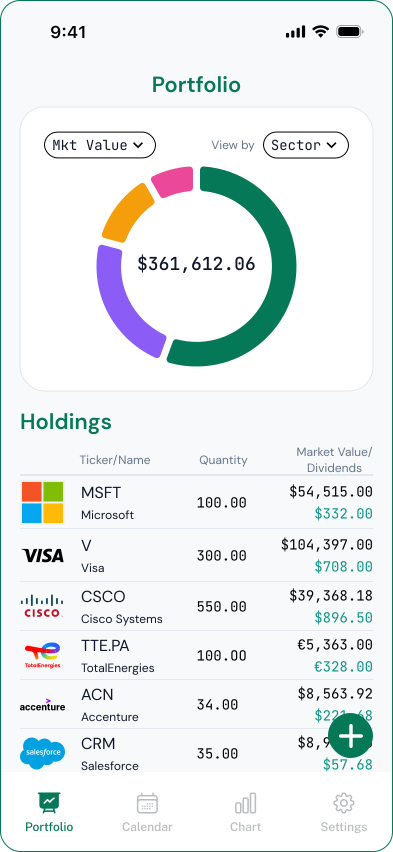
OnlyDividends turns your holdings into a live income total. For each position you enter two fields, the ticker and how many shares you own, and the app pulls the dividend data and keeps the math current for you.

Instead of a static spreadsheet, you get one screen that shows your projected annual dividend income and the monthly average it works out to, both adjusted to your currency and after withholding tax.

  • Total projected annual dividend income across every holding
  • Monthly average income, so irregular payouts read as one number
  • After-tax figures from a single withholding-tax setting
  • Updates automatically when you add shares or a payout changes
  • Works across 70+ exchanges and six currencies
  • No bank login and no brokerage credentials, ever
03

How OnlyDividends tracks your income

  • 01

    Annual income total

    Every holding rolls up into one projected yearly dividend income figure, recalculated whenever your positions change.

  • 02

    Monthly average

    Quarterly, semi-annual, and monthly payers are blended into a single monthly average, so you can see income at a glance.

  • 03

    No bank or brokerage linking

    Your income is calculated from public market data and your share counts, never from a connection to your accounts.

  • 04

    Ticker + shares setup

    Add a position with two fields. No CSV imports, no syncing, no manual per-share lookups.

  • 05

    Multi-currency totals

    Income from foreign holdings is converted into your currency so the total is one consistent number.

  • 06

    Pay-day notifications

    A reminder on each pay day shows the net amount landing, so your running total always matches reality.

How OnlyDividends tracks your income
04

Ways to track dividend income, compared

OnlyDividendsSpreadsheetBrokerage app
Total annual incomeAutomaticManualSometimes
Monthly averageYesManualRarely
After-tax figuresYesManualRarely
Updates itselfYesNoYes
Bank / brokerage login requiredNoNoYes
Multi-currencyYesManualSometimes
Best forIncome trackingPower usersBuying & selling
05

Who this is for

  • Dividend investors who want one clear annual and monthly income number
  • Income investors blending quarterly, monthly, and semi-annual payers
  • ETF investors totaling distributions across several funds
  • Privacy-focused investors who refuse to link a bank or brokerage
  • Spreadsheet users tired of re-entering payouts and tax by hand

How to Track Your Dividend Income

Free for your first 3 stocks. No account, no bank linking.

Download on the App Store

Frequently asked questions

The easiest way is to use a dividend tracker that totals your holdings for you. You enter each ticker and share count once, and the app keeps a running figure of your annual and monthly average income. OnlyDividends does this from public market data, with no bank or brokerage linking.

Multiply the shares you own of each holding by its annual dividend per share, then add the results across all holdings. That gives your gross annual dividend income. Subtract your withholding tax rate for the net figure. OnlyDividends performs this calculation automatically and updates it as your positions change.

Take your total annual dividend income and divide it by twelve. This gives a monthly average that smooths out quarterly and semi-annual payers. OnlyDividends shows this monthly average alongside your annual total so you do not have to do the math yourself.

Yes. OnlyDividends never connects to a bank or brokerage. You add holdings manually with a ticker and share count, and the app builds your income totals from public dividend data, so no credentials or account access are required.

Set a single withholding-tax rate in the app and every income figure, including your annual total and monthly average, is shown net of that rate. This is a planning estimate to gauge real take-home income, not a tax filing.

Yes. OnlyDividends covers 70+ exchanges and six currencies, converting foreign income into your currency so ETF distributions and international holdings roll into one consistent total.

Yes. The free plan tracks up to 3 stocks with the full income view. Premium raises the limit to 50 stocks for about $6.99 per month or $49.99 per year.